详细介绍
项目简介
AB Download Manager 是一款桌面下载管理应用,目标是让下载任务的管理和组织比传统方式更高效。项目使用 Kotlin 与 Compose Multiplatform 开发,遵循 Apache-2.0 许可证,代码开源,官网为 abdownloadmanager.com。
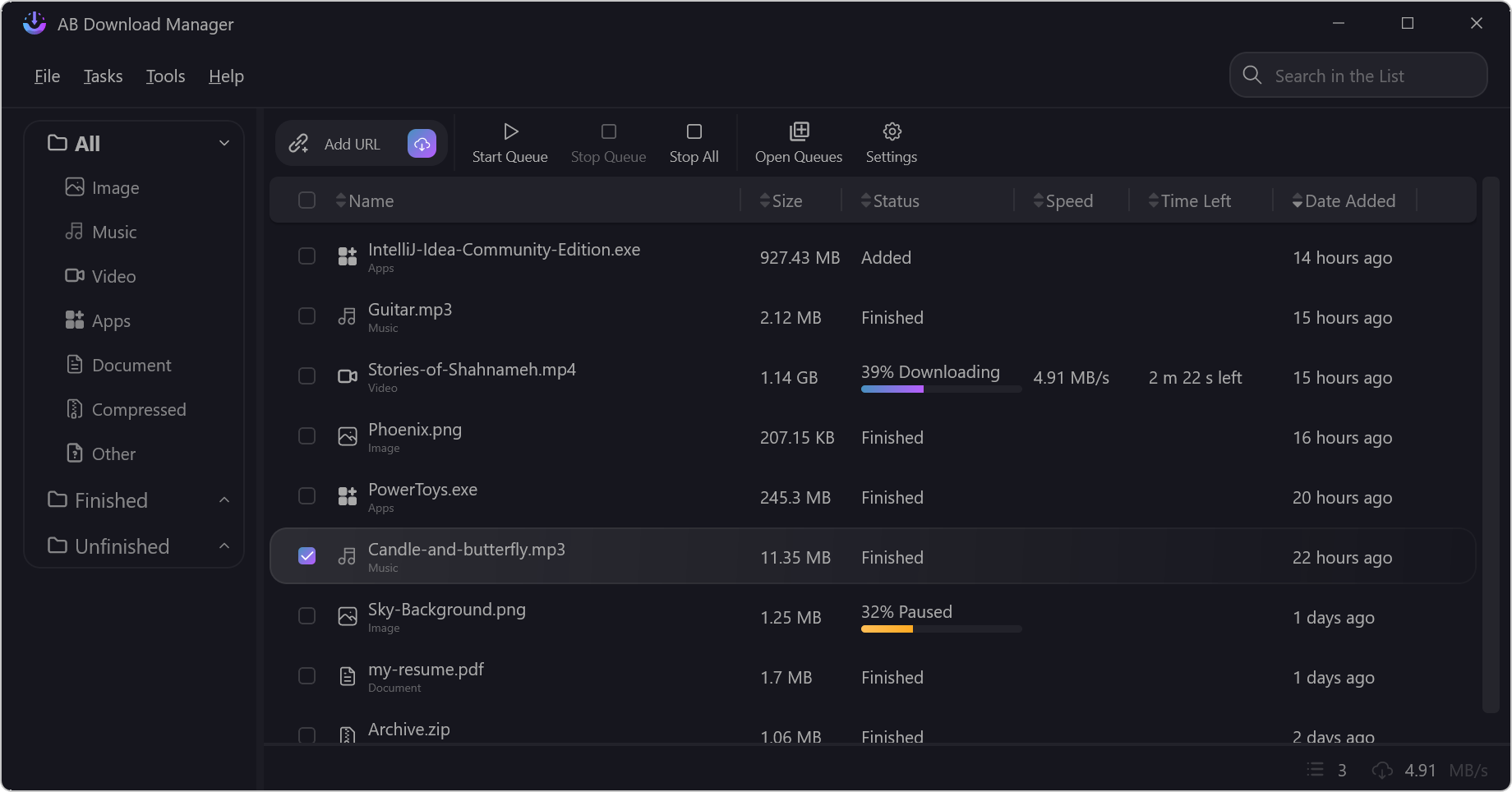
主要功能
- ⚡️ 更快的下载速度
- ⏰ 下载队列与定时调度
- 🌐 浏览器扩展集成,可从浏览器直接接管下载
- 💻 多平台支持(Windows / Linux / macOS,README 中也提到 Android)
- 🌙 多种主题(深色 / 浅色 / 纯黑等),界面现代
- ❤️ 免费且开源
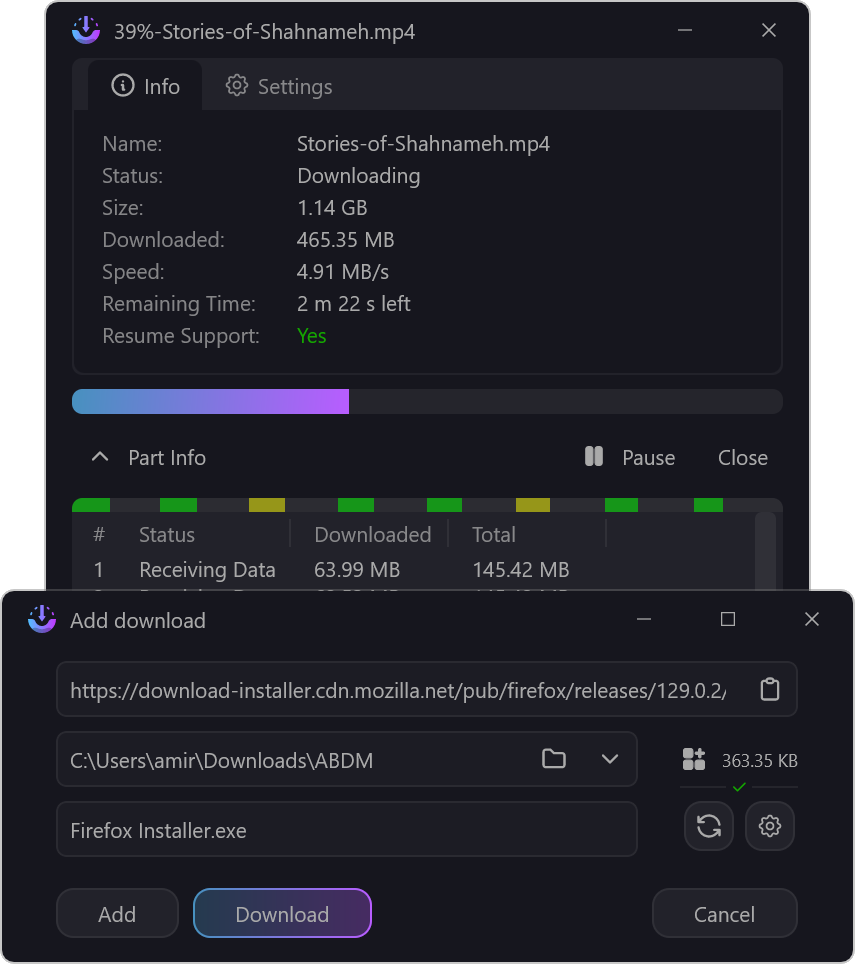
下载任务界面示例:
安装与使用
可从官方网站或 GitHub Releases 下载安装包。
Linux 推荐使用安装脚本:
bash <(curl -fsSL https://raw.githubusercontent.com/amir1376/ab-download-manager/master/scripts/install.sh)
Windows 可使用 winget 或 scoop:
winget install amir1376.ABDownloadManager
scoop install extras/abdownloadmanager
macOS 与 Linux 可通过 Homebrew 安装:
brew tap amir1376/tap && brew install --cask ab-download-manager
浏览器扩展可分别在 Firefox Add-ons 与 Chrome Web Store 获取,用于让应用接管浏览器中的下载任务。
从源码构建桌面端时,需先准备 JBR 并加入 PATH 或设置 JAVA_HOME,然后在项目目录执行:
./gradlew createReleaseFolderForCi
构建产物位于 <project_dir>/build/ci-release。
注意事项
- 除项目官方说明中列出的渠道外,该软件并未上架 Google Play 或其他应用商店;任何声称与本项目相关的第三方版本都应视为诈骗且不安全。
- 更多安装方式、卸载说明等内容请参考项目 wiki。
- 翻译工作通过 Crowdin 进行,不接受通过 Pull Request 提交翻译。
- 遇到问题可通过 GitHub Issues 反馈。
本作品整理自 GitHub 开源项目 amir1376/ab-download-manager,原作者 @amir1376,许可证 Apache-2.0。中文介绍由 AI 根据项目 README 整理,以原仓库为准。
更新记录
- v1.11.2当前版本
### Added - Add download location to the desktop download list table (disabled by default) (#1483) - Add an option to disable the `Add`/`Download` button while download link information is loading (#1508) - Add Start Queue, Stop Queue, and Stop All actions to the system tray - Add QR code support for sharing and scanning download links (#1511) ### Fixed - Prevent download progress windows from being brought to the front when retrying a failed download (#1482) - Enforce API key authentication for specific routes (#1512) ### Improved - Update translations ## New Contributors * @monurpalan made their first contribution in https://github.com/amir1376/ab-download-manager/pull/1488
- v1.11.1
修复 Linux 上目录选择器崩溃和空闲检测失效的问题,更新多语言翻译,并改进桌面端设置界面的细节。
评论